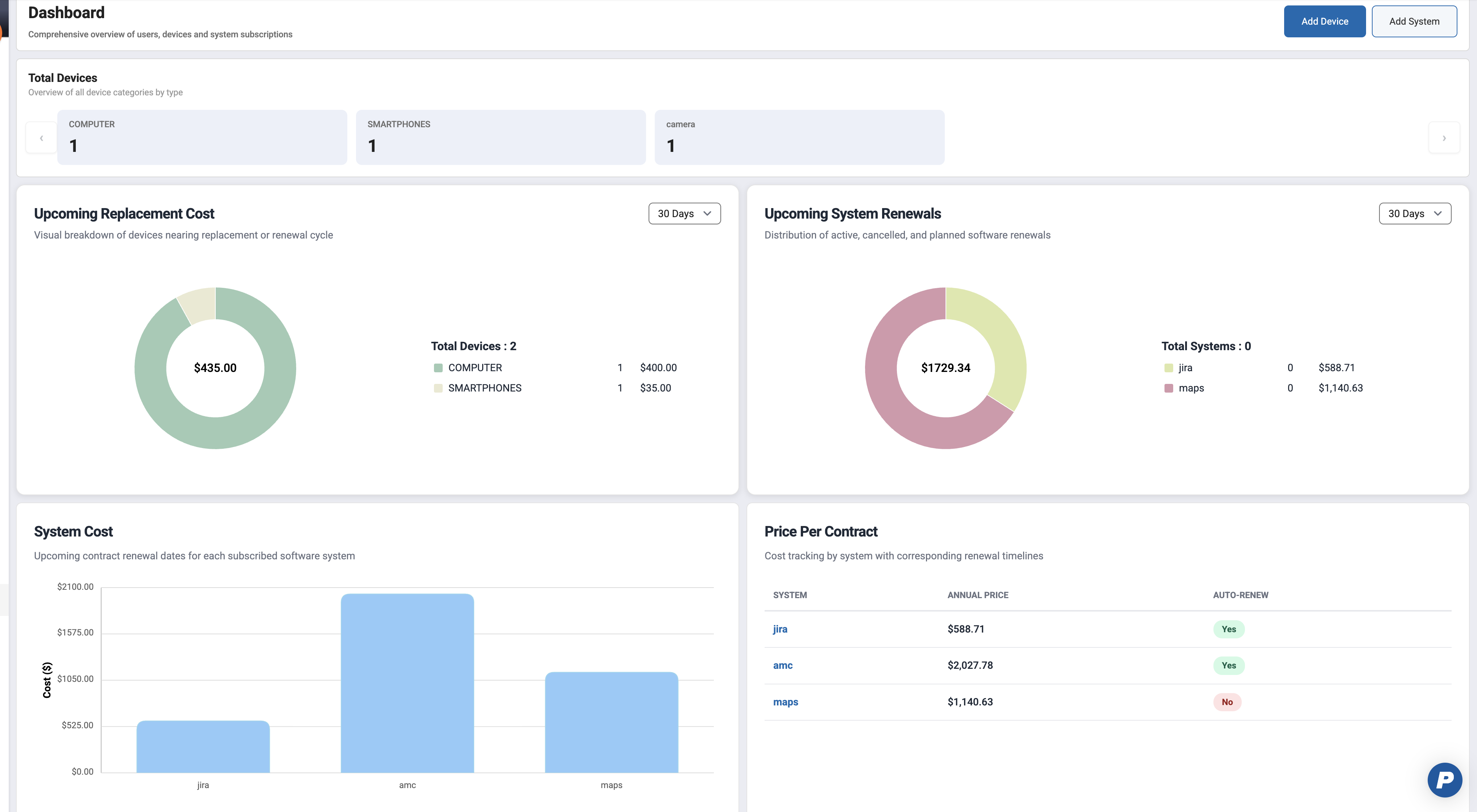
The Administrator Dashboard provides a centralized, high-level view of organizational devices and systems. It enables administrators to monitor device inventory, track upcoming costs, and manage system subscriptions and contract renewals.
The dashboard is designed to surface key metrics at a glance while allowing administrators to take immediate action through quick-access controls.
Admins can also add devices and systems visa quick action buttons on the top right corner
Dashboard can be accessed under System Management > Access Management > Dashboard
1. Dashboard Widgets
1.1 Total Devices
Provides an overview of all registered devices by device type.
What it shows:
Total count of devices grouped by type, such as:
Computers
Smartphones
And other customizable device types beyond default that can be created
Navigation arrows to scroll through additional device types if available
Usage:
Helps administrators quickly assess inventory distribution
Useful for capacity planning and asset audits

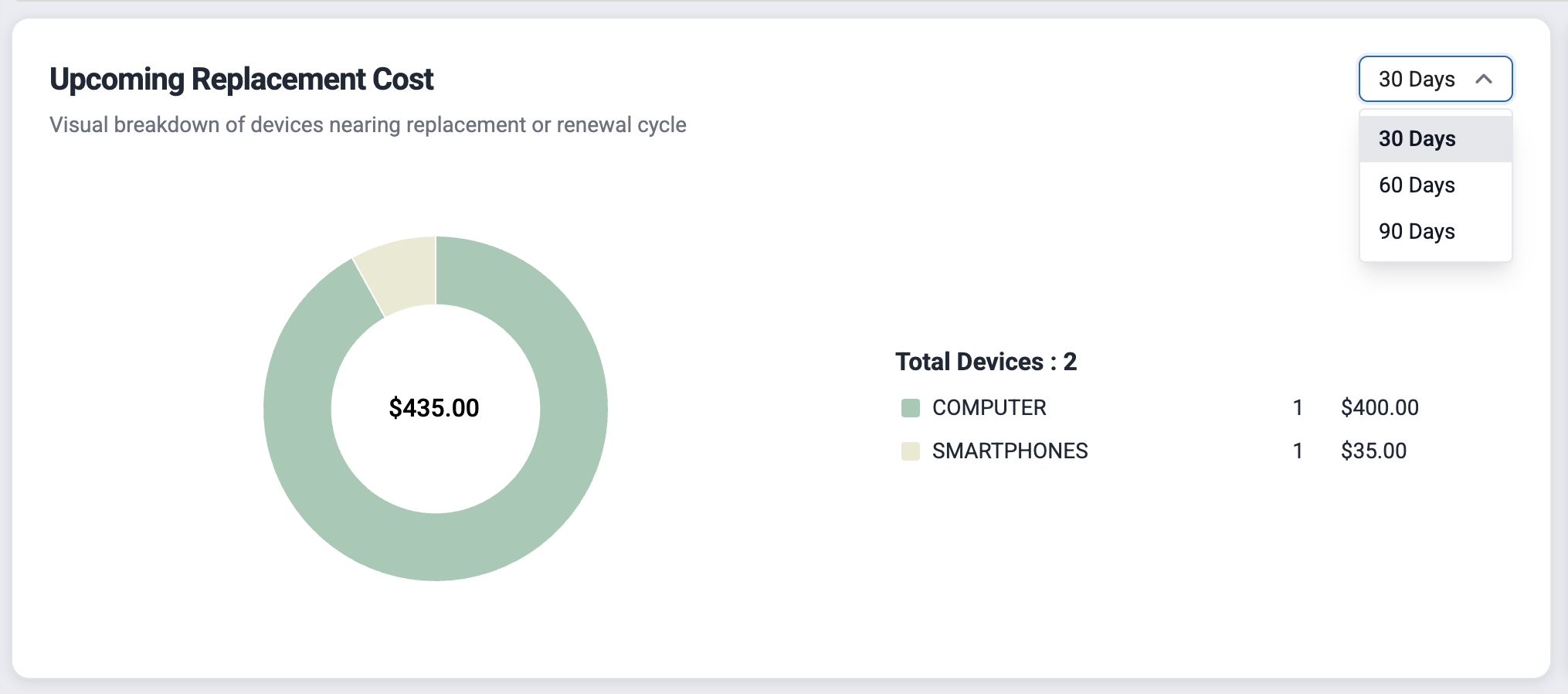
1.2 Upcoming Replacement Cost
Displays the estimated cost of devices nearing replacement.
What it shows:
Donut chart representing total replacement cost
Cost breakdown by device type
Total number of devices included in the calculation
Filters:
Time range selector (for example: next 30 days, 60 days etc)
Usage:
Supports budgeting and financial forecasting
Identifies device types driving replacement costs
1.3 Upcoming System Renewals
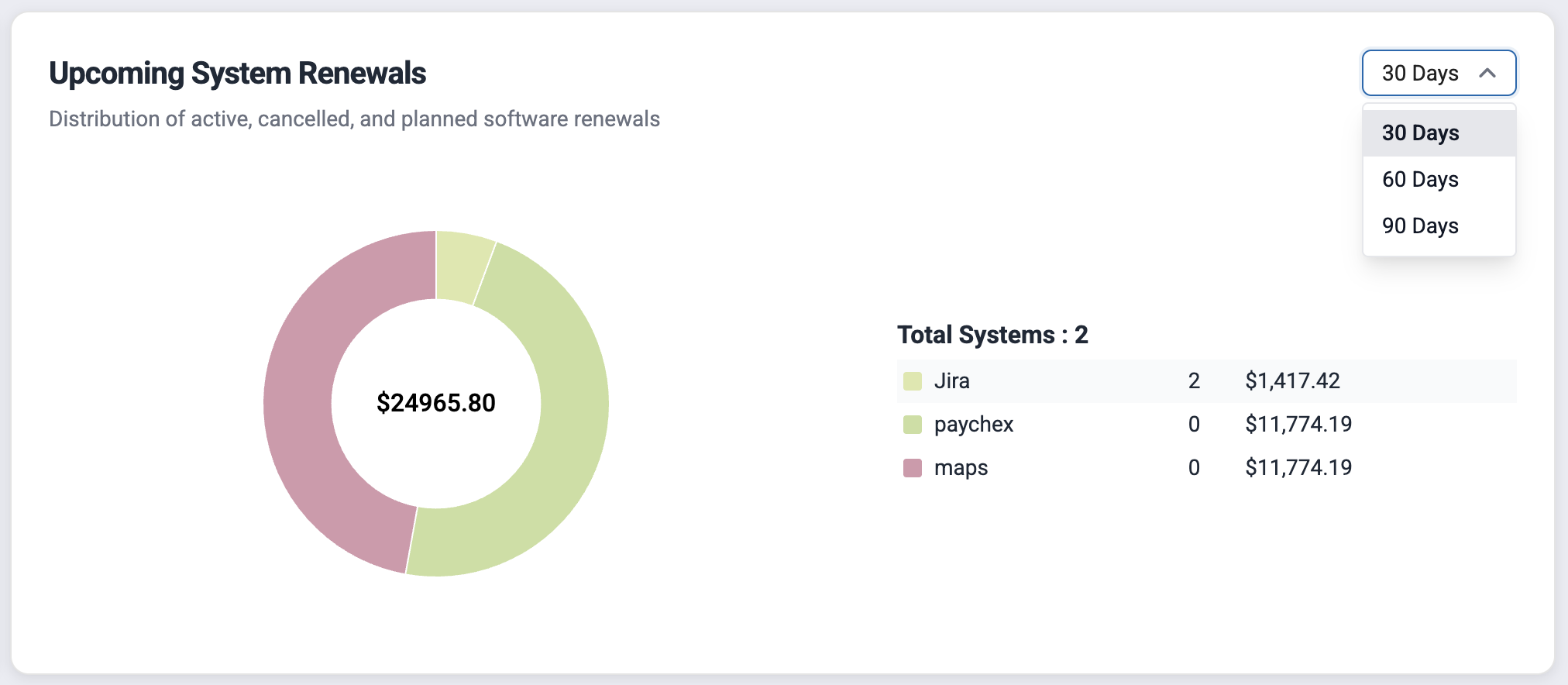
Summarizes software systems with upcoming renewal dates.
What it shows:
Donut chart indicating renewal costs
Distribution by system status (active, cancelled, planned)
Total renewal cost for the selected time period
Filters:
Time range selector (for example: next 30 days, 60 days etc)
Usage:
Helps administrators anticipate renewal expenses
Provides visibility into upcoming contractual obligations
1.4 System Cost
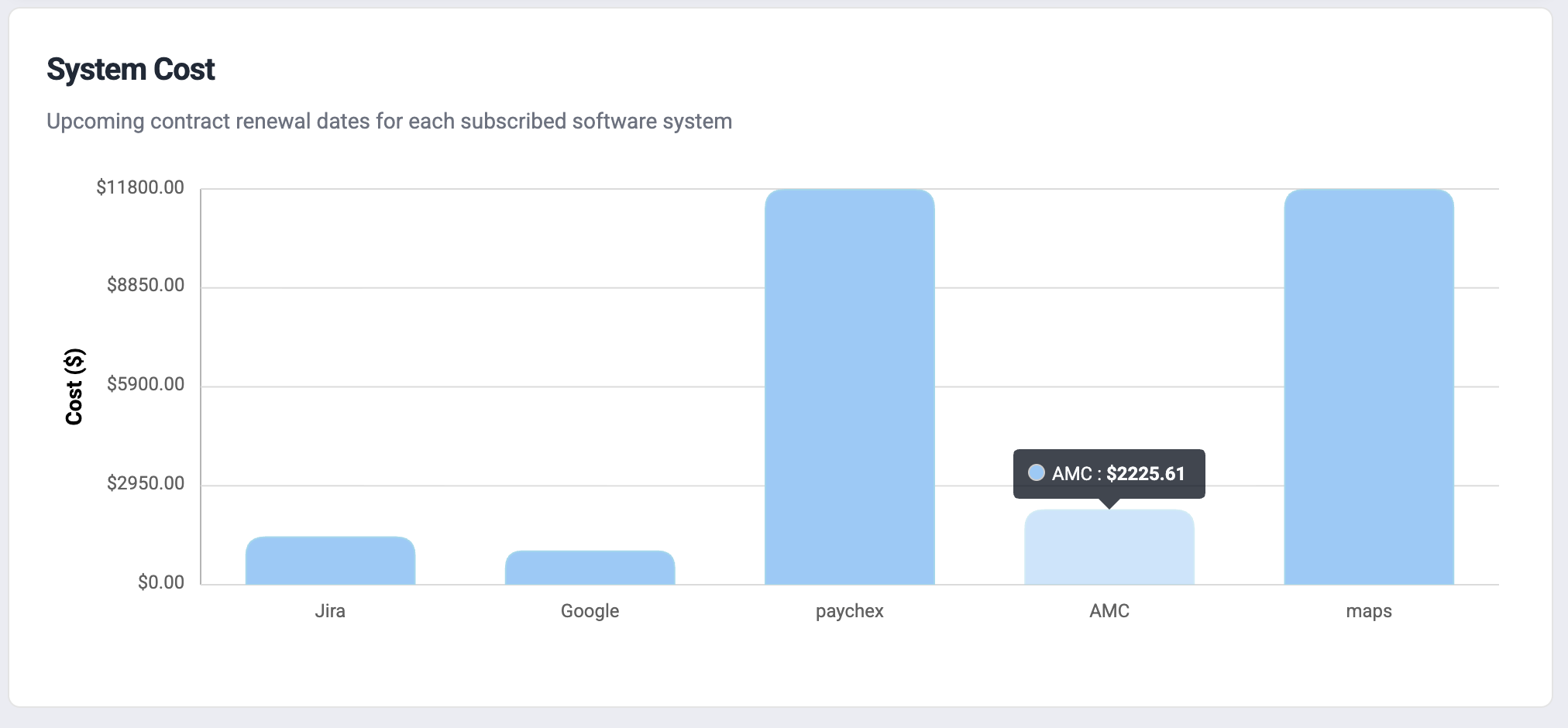
Visualizes renewal costs per system.
What it shows:
Bar chart comparing systems by renewal cost
Each bar represents a subscribed software system
Usage:
Enables comparison of system-level expenses
Helps identify high-cost systems quickly
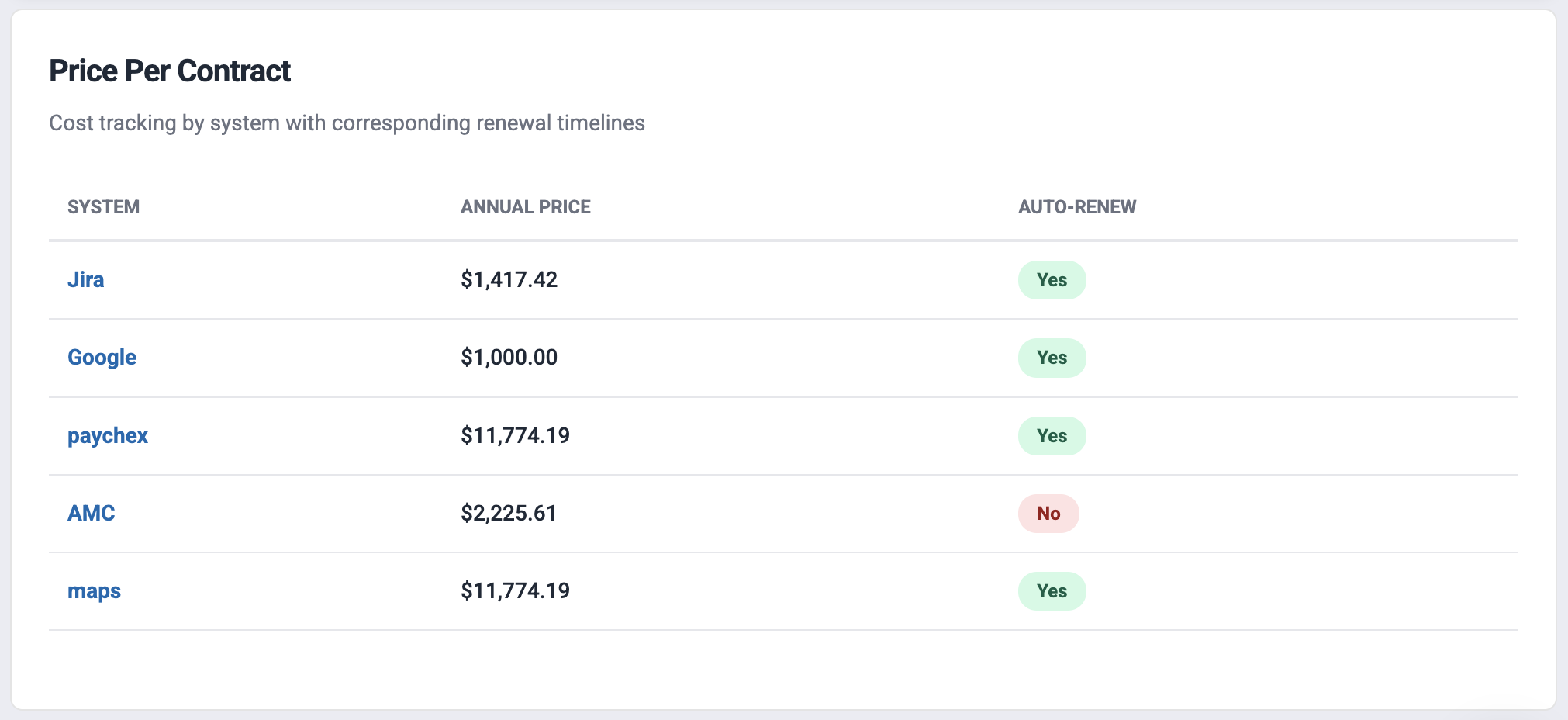
1.5 Price Per Contract
Displays detailed contract pricing and renewal settings.
What it shows:
List of systems with:
Annual price
Auto-renewal status (Yes/No)
Usage:
Allows administrators to review contract terms
Helps identify systems with auto-renewal enabled or disabled
Was this article helpful?
That’s Great!
Thank you for your feedback
Sorry! We couldn't be helpful
Thank you for your feedback
Feedback sent
We appreciate your effort and will try to fix the article