Users/Admins can create tasks to manage personal work items or assign tasks to team members, depending on their permissions.
Tasks can be created from:
Main > Tasks
On the Tasks board, click + Add Task.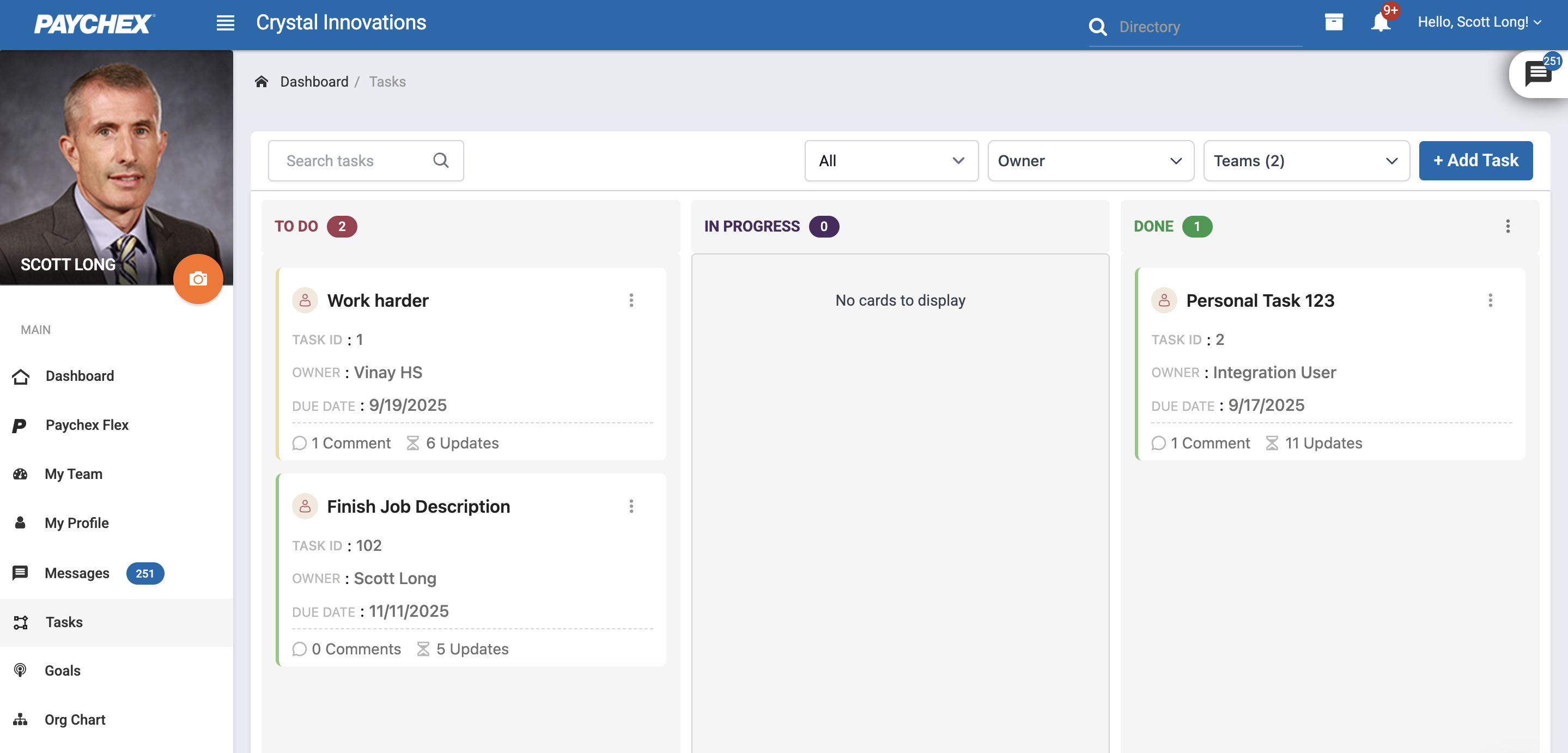
1.1 Task Details
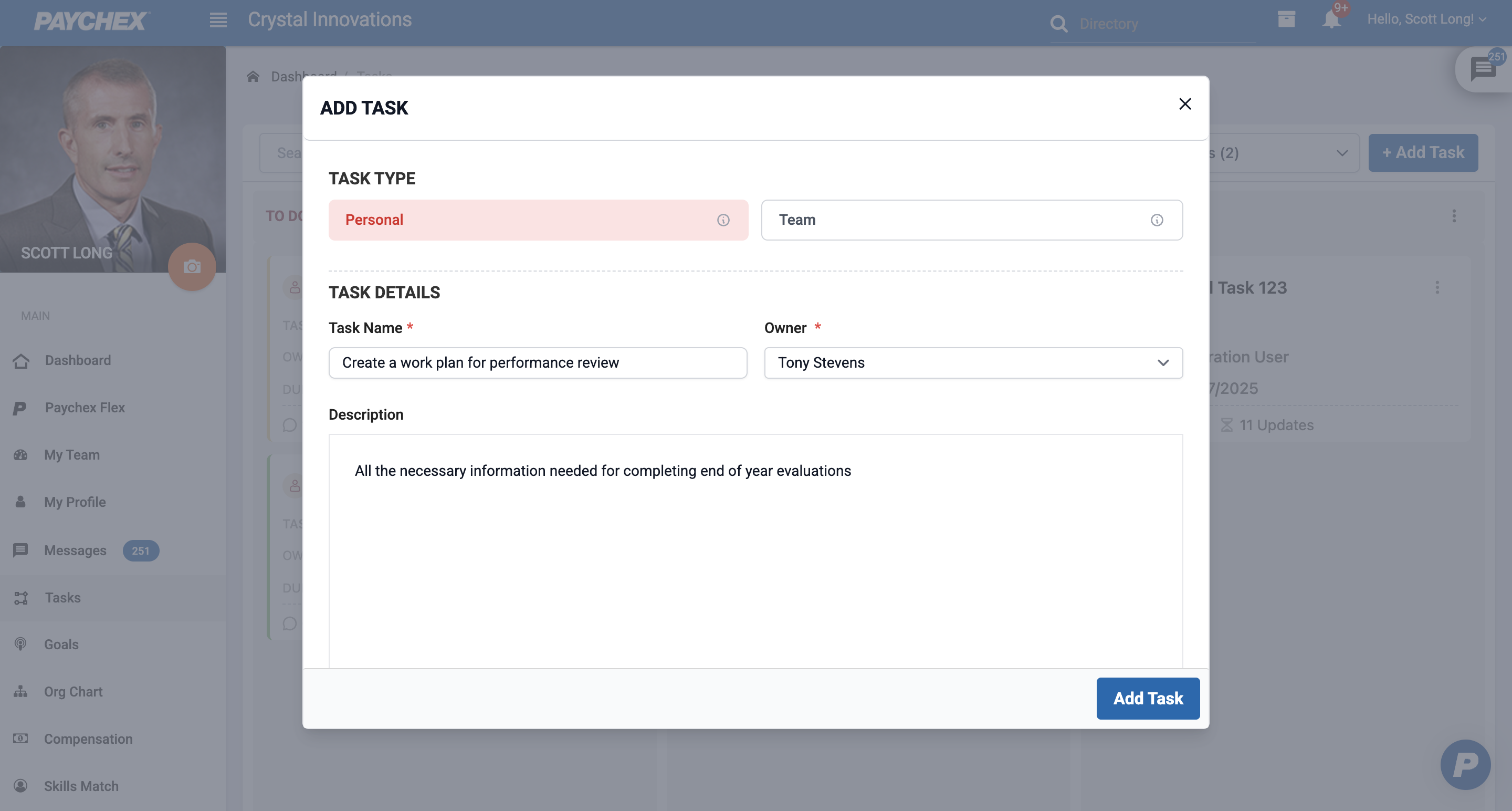
During task creation, users must define the task’s visibility:
Personal Task
Visible only to the task creator.
Editable and manageable by the creator.
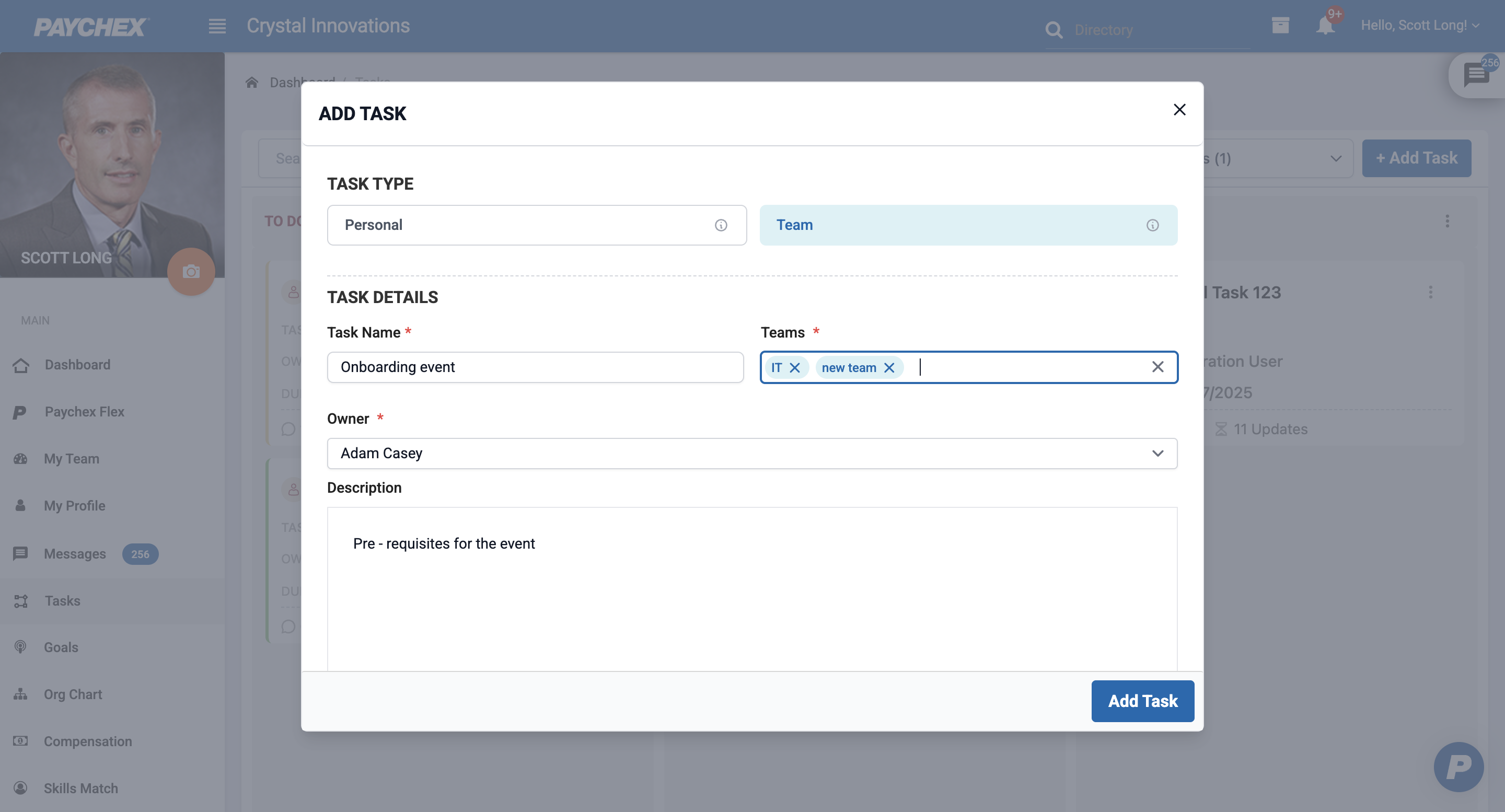
Team Task
Visible to selected team members.
Users can only select teams they are part of.
Task assignment is limited to members of the selected team(s).
Note: Admins can view, edit and manage all tasks
| Field | Description |
|---|---|
| Task Name* | Required. Title of the task. |
| Description | Optional. Additional context or instructions. |
| Assigned To* | Select a user or group (based on permissions and visibility). |
| Task Type* | Select a type based on usecase (Personal, Team). |
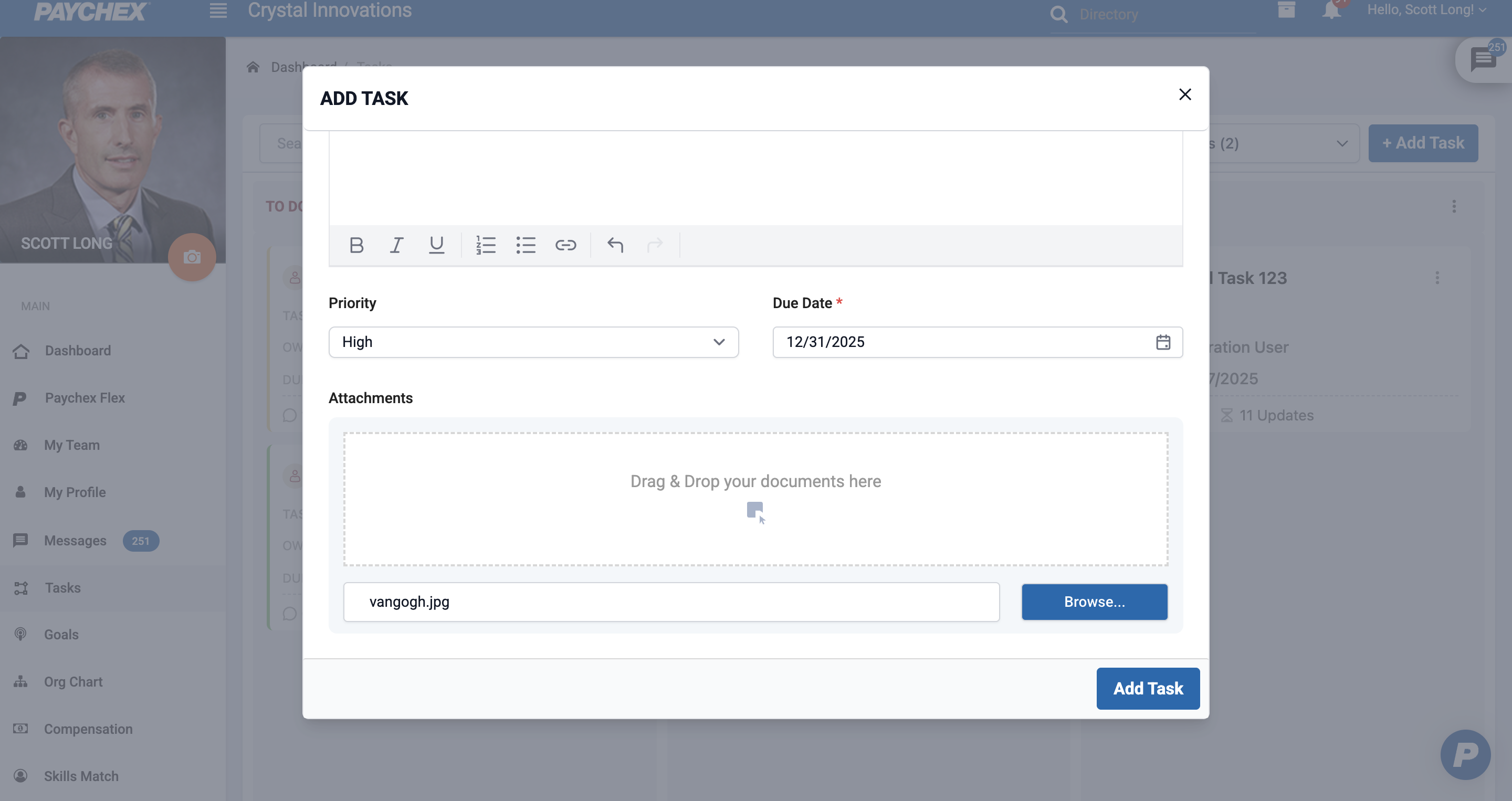
| Priority | Low, Medium and High |
| Due Date* | Task Due date can be today or in fuure |
| Attachments | Optiona. Additional files/images that are relevant |
1.2 Creating the Task
Complete the required task detail fields.
Review task visibility and assignment.
Click Add Task to save the task.
Once created:
The task appears in the To Do column by default.
It is visible on the Tasks board according to its visibility settings.
Was this article helpful?
That’s Great!
Thank you for your feedback
Sorry! We couldn't be helpful
Thank you for your feedback
Feedback sent
We appreciate your effort and will try to fix the article