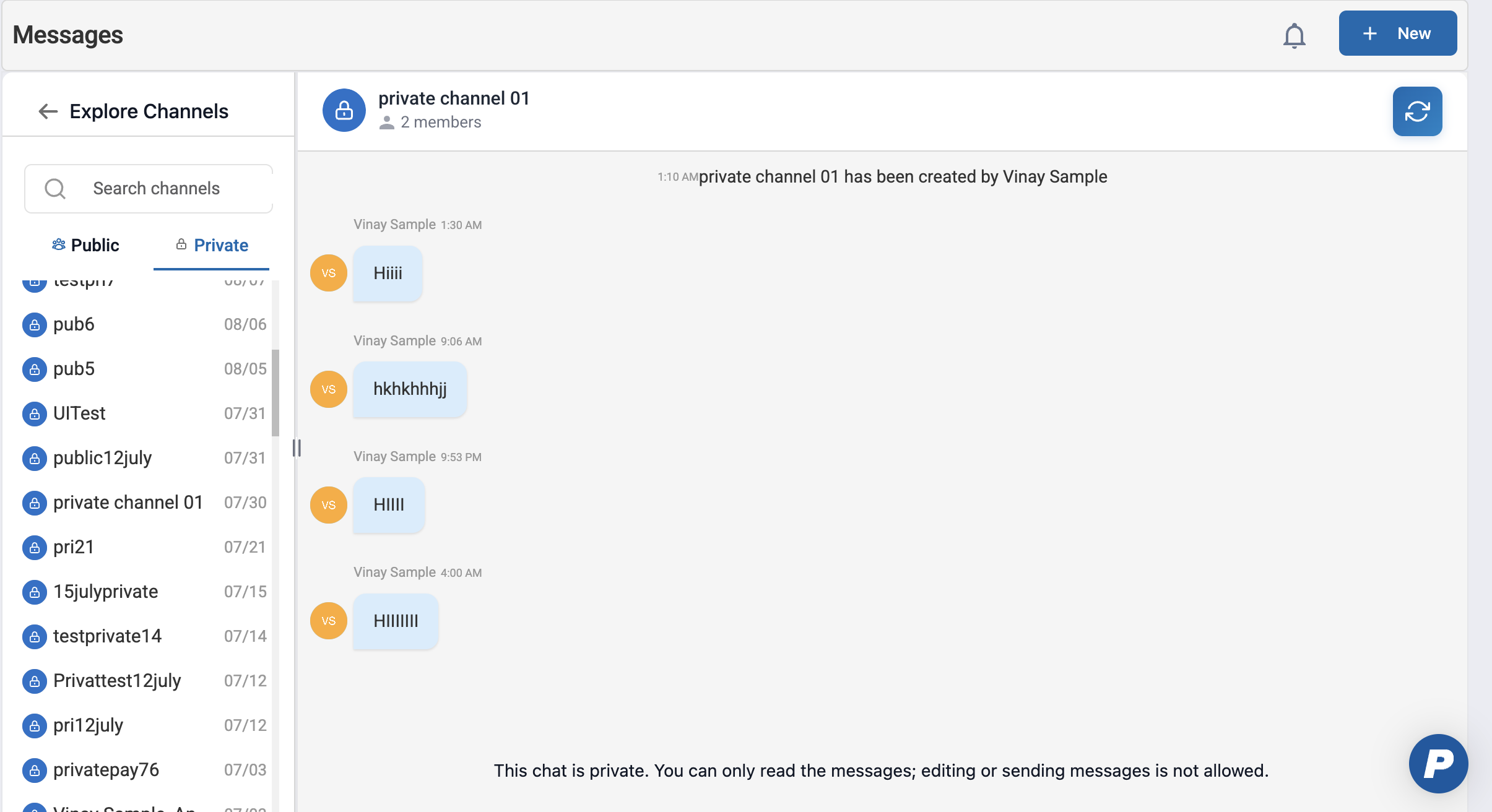
Admins have read-only visibility into private channels they are not members of.
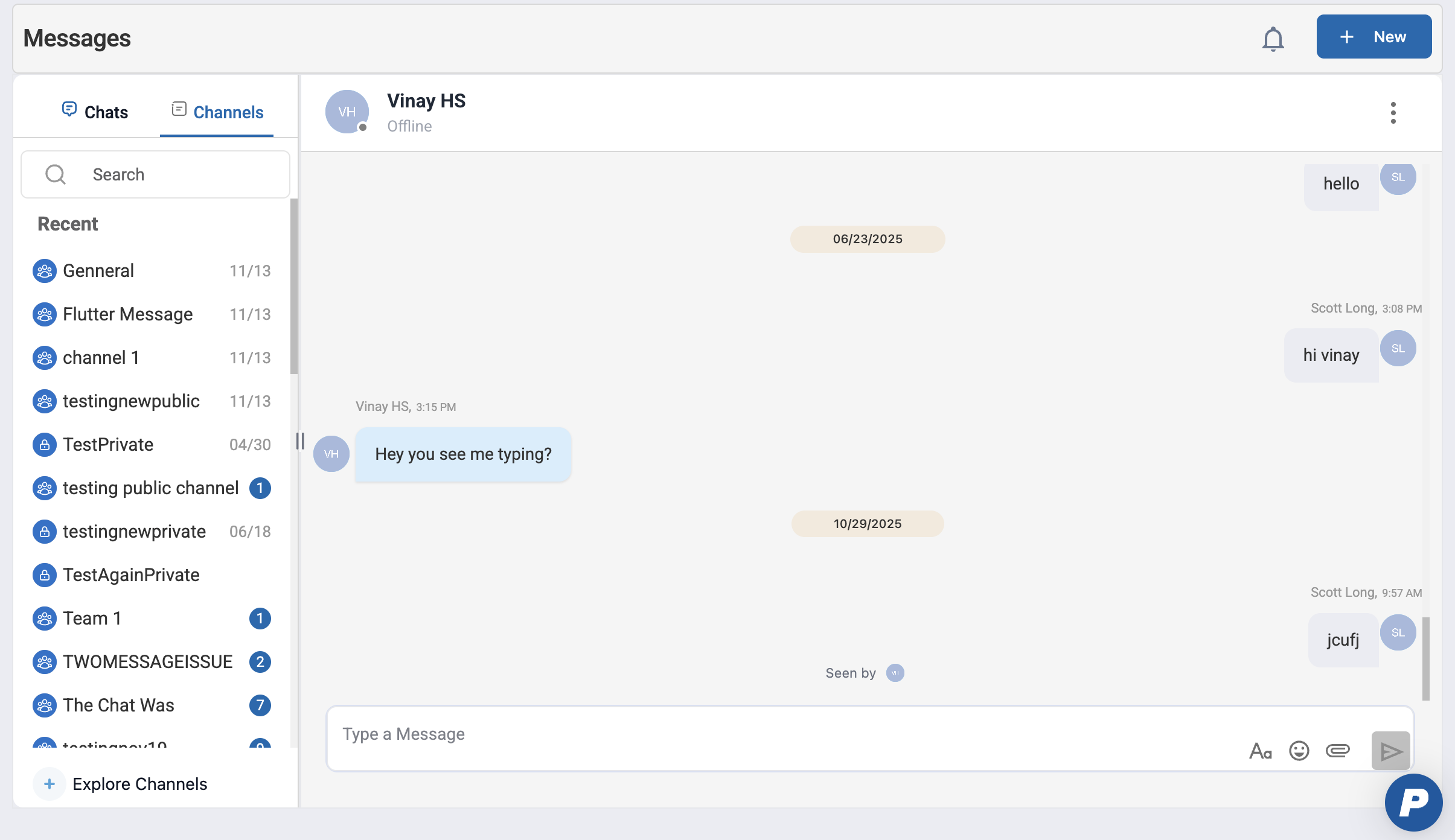
Navigate to Main Menu > Messages.
Click + Explore Channels from the channel list.
Switch to the Private tab.
This displays a list of all private channels in the organization, including those the admin is not a member of.
1.2 Admin Restrictions in Private Channels
When accessing private channels via Explore Channels, admins cannot:
Join the channel
Send messages
Add or remove members
Modify channel settings
Delete the channel
This ensures administrators have visibility without participating in or altering conversations.
1.3 Syncing Latest Messages
While viewing a private channel, click the Sync button in the top-right corner of the conversation detail.
The system refreshes the view to ensure the latest messages and media are loaded.
This is useful for reviewing recent activity or validating message visibility.
Was this article helpful?
That’s Great!
Thank you for your feedback
Sorry! We couldn't be helpful
Thank you for your feedback
Feedback sent
We appreciate your effort and will try to fix the article