Located under System Management > Manage Forms.
The module consists of three primary tabs:
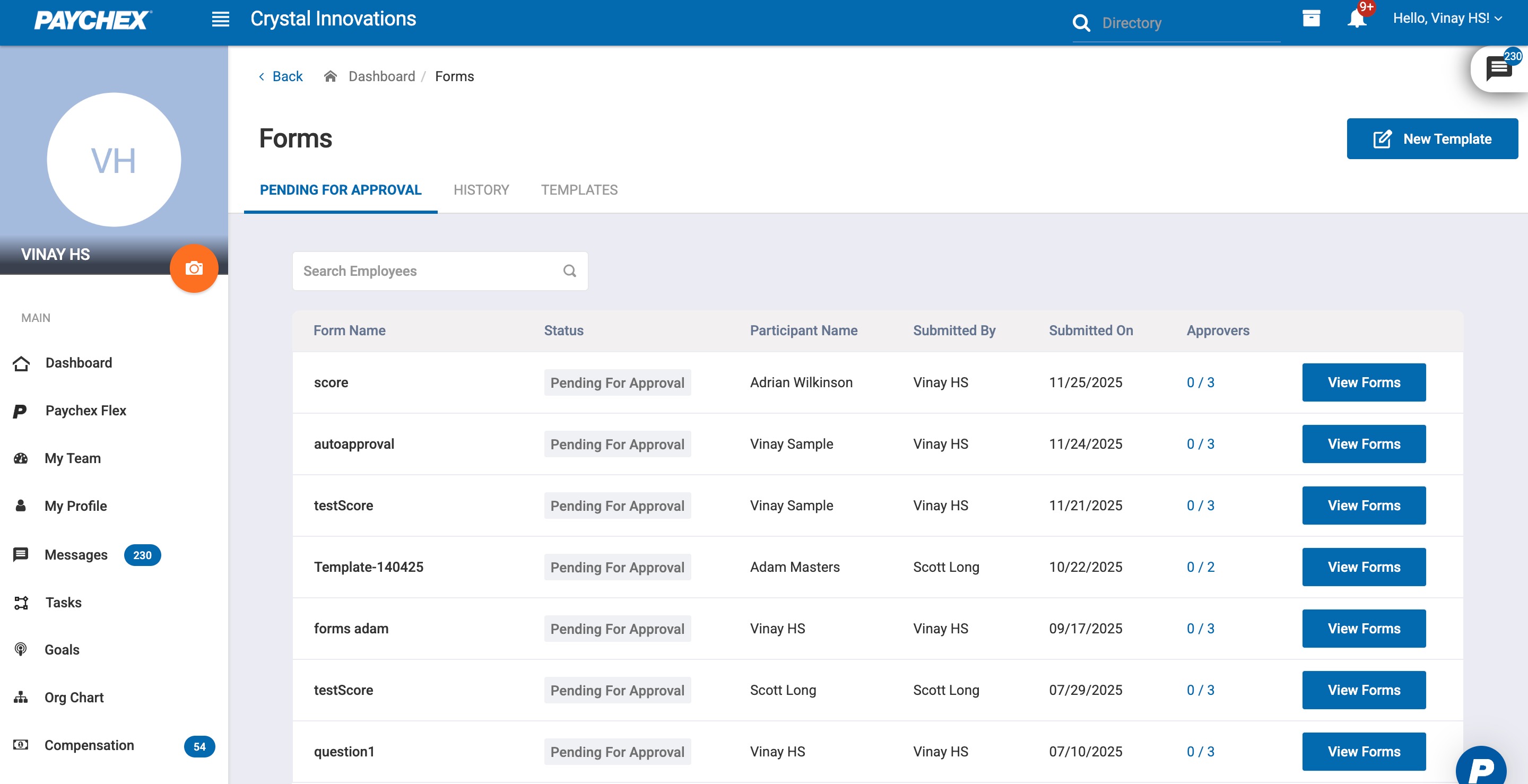
1.1 Pending for Approval
Displays all submitted forms that require admin approval.
Allows admins to view Approver information.
Allows admins to review, approve, or reject submitted forms.
Includes sorting, and search options.
1.2 History
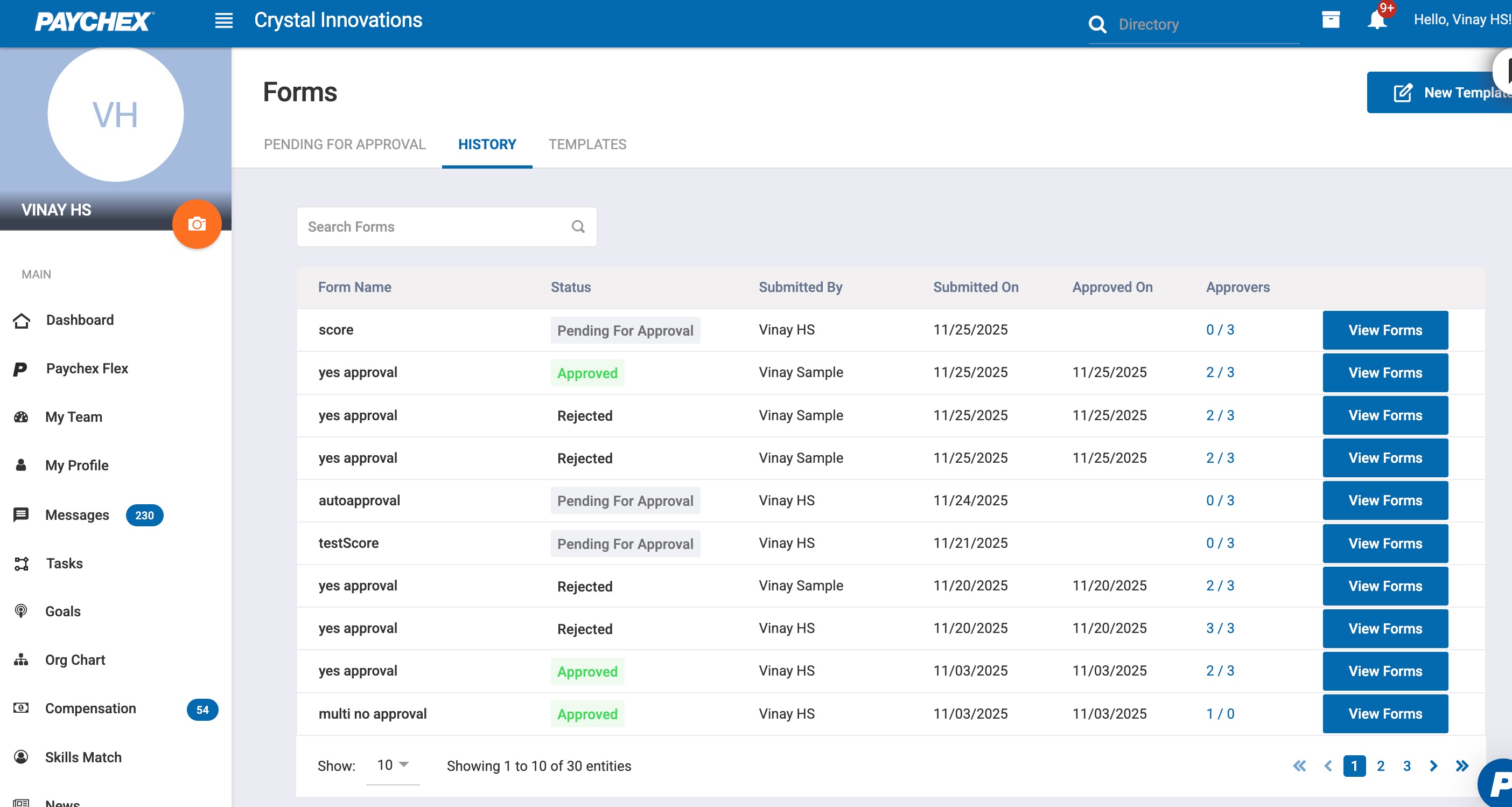
Displays all previously submitted forms, regardless of status.
Used for tracking purposes.
Shows metadata such as participant name, submitter, submission date, approval date, and approvers.
1.3 Templates
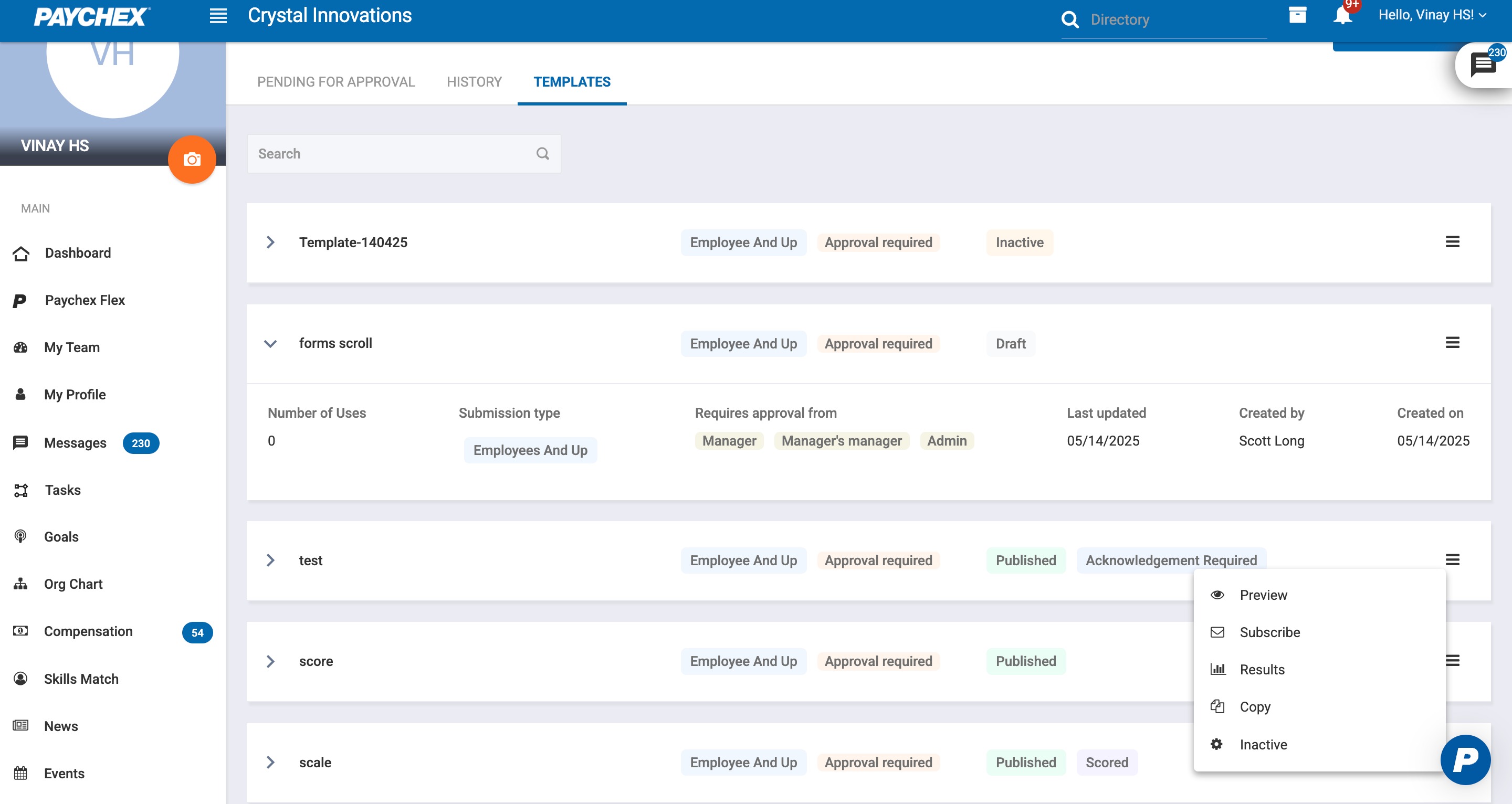
Contains all form templates available for assignment.
Allows creation, editing, duplication, archiving, preview, subscription, deactivation or deletion of form templates.
Each template is tagged appropriately based on the form settings added while creation.
Was this article helpful?
That’s Great!
Thank you for your feedback
Sorry! We couldn't be helpful
Thank you for your feedback
Feedback sent
We appreciate your effort and will try to fix the article