Form-related privileges determine what users can do within the Forms module. These permissions are managed by administrators through: Manage Permissions > Access Groups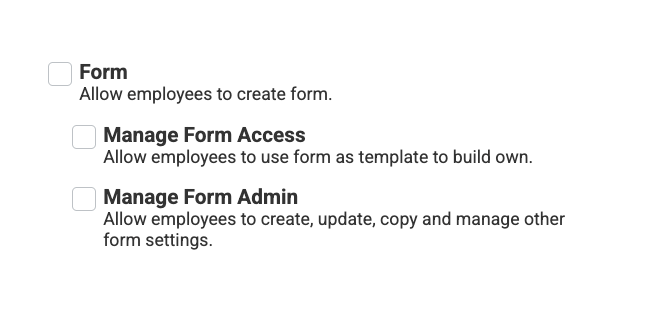
Each privilege enables a different level of access and functionality.
Form: Allows employees to view forms. Employees can view and submit forms on themselves (via My Profile > Forms) or managers can view and submit forms for their team (via My Team > Forms).
Manage Form Access: Allows employees to use an existing form template to build their own custom form.
Users with this privilege can access templates and generate new forms based on them.
Manage Form Admin: Allows employees to create, update, copy, and manage form settings, including administrative capabilities.
This privilege is required to:
Create or modify form templates
Access Manage Forms under System Management
Publish, inactivate, or delete templates
View Results and manage notifications
Was this article helpful?
That’s Great!
Thank you for your feedback
Sorry! We couldn't be helpful
Thank you for your feedback
Feedback sent
We appreciate your effort and will try to fix the article