The Results view allows administrators to review all submissions for a specific form template and export the data for reporting or analysis.
1.1 Accessing Results
Go to Manage Forms > Templates.
Open the burger menu for a template.
Select Results.
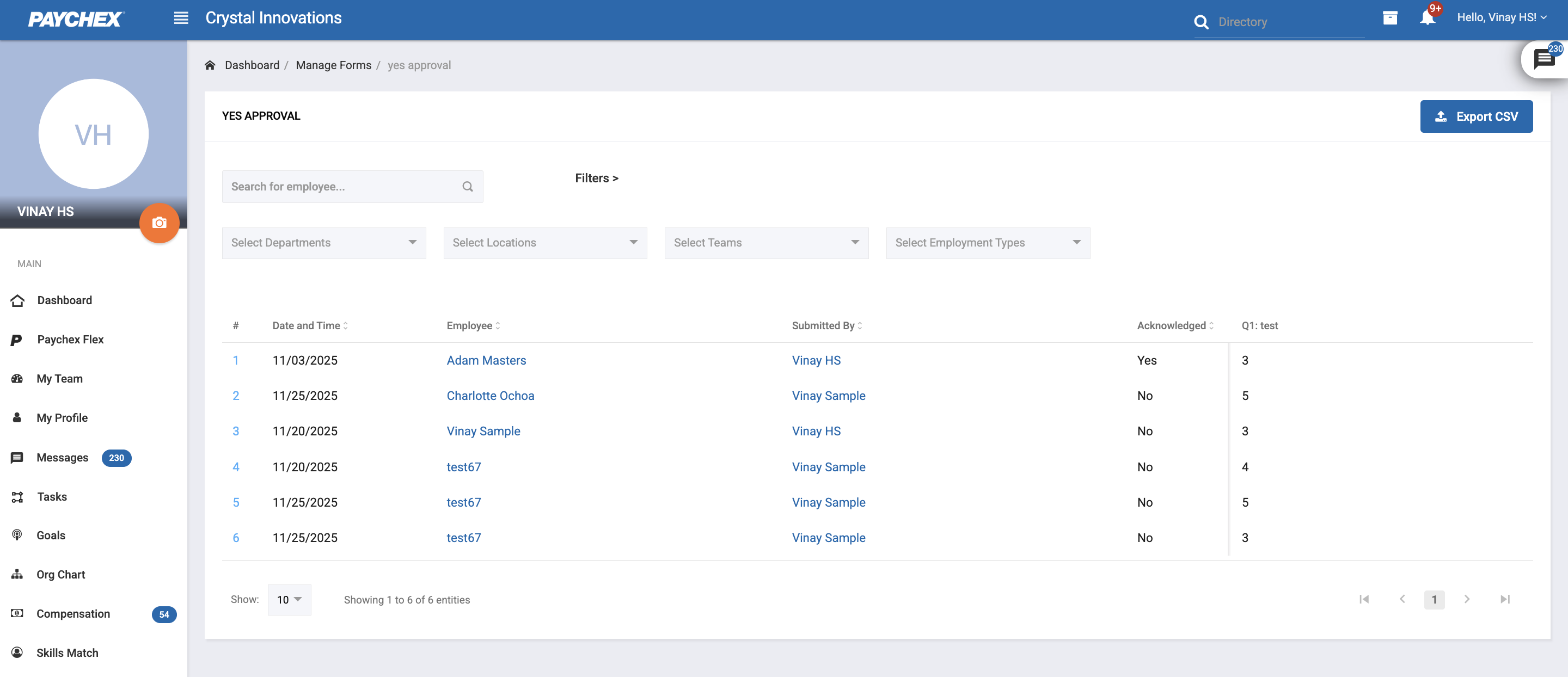
1.2 Filters
Administrators can filter submissions by:
Department
Location
Teams
Employment Type
These filters help narrow down form results for specific groups.
1.3 List view
The Results table includes:
Date / Timestamp
Employee (Subject)
Submitter
Acknowledged (if acknowledgement is enabled)
Questions and Answers (all responses captured for the submission)
1.4 CSV Export
Administrators can export the results to CSV, which includes everything in the list view.
Was this article helpful?
That’s Great!
Thank you for your feedback
Sorry! We couldn't be helpful
Thank you for your feedback
Feedback sent
We appreciate your effort and will try to fix the article