The Approvers Side Drawer provides a detailed view of all approvers assigned to a submitted form. It helps administrators and approvers track approval progress, approver roles, and current approval status.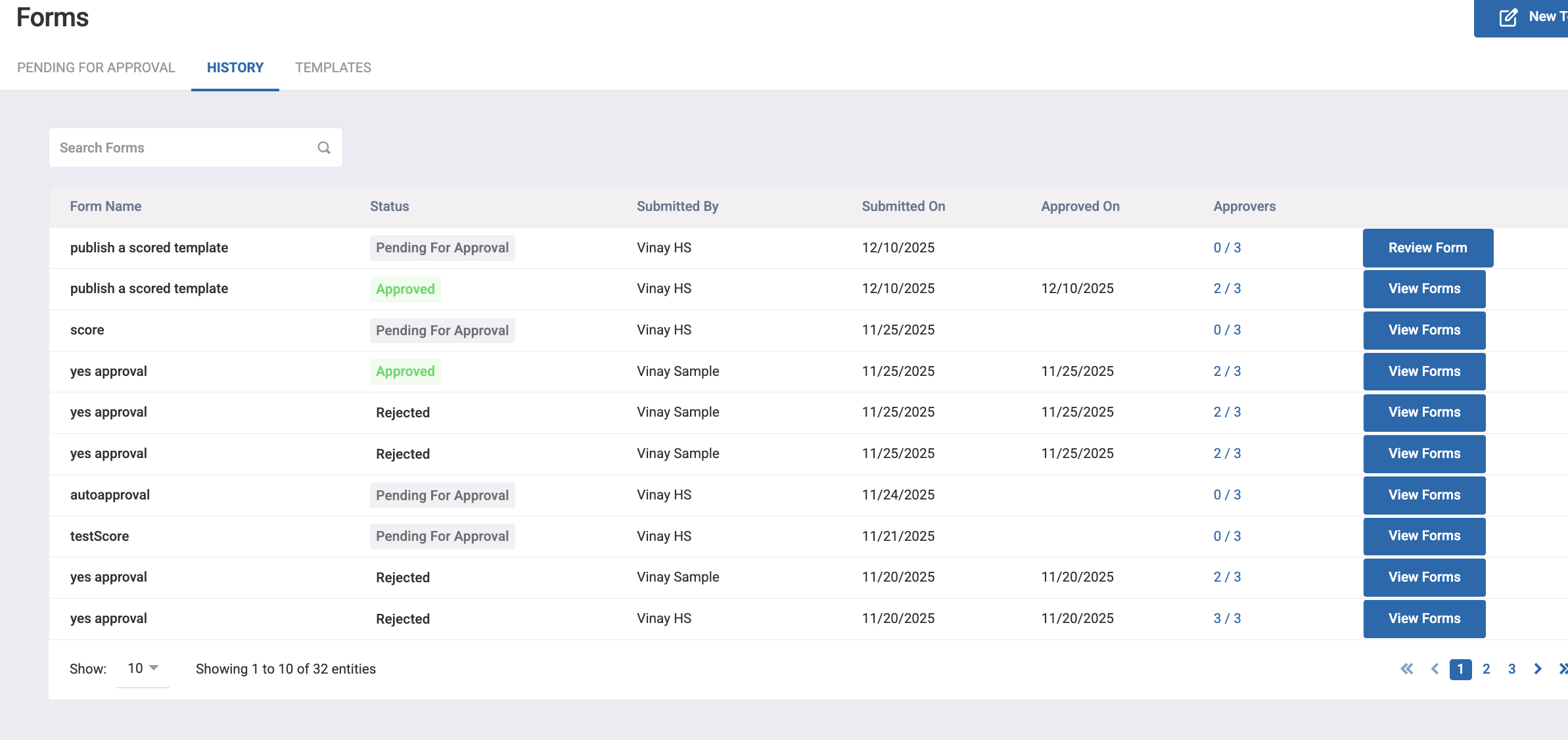
In the Pending for Approval or History list view, each form entry displays an Approvers column.
The value in this column is shown in the format:
X / Y
X = Number of approvals completed
Y = Total approvers configured for this form’s template
To open the Approvers Side Drawer:
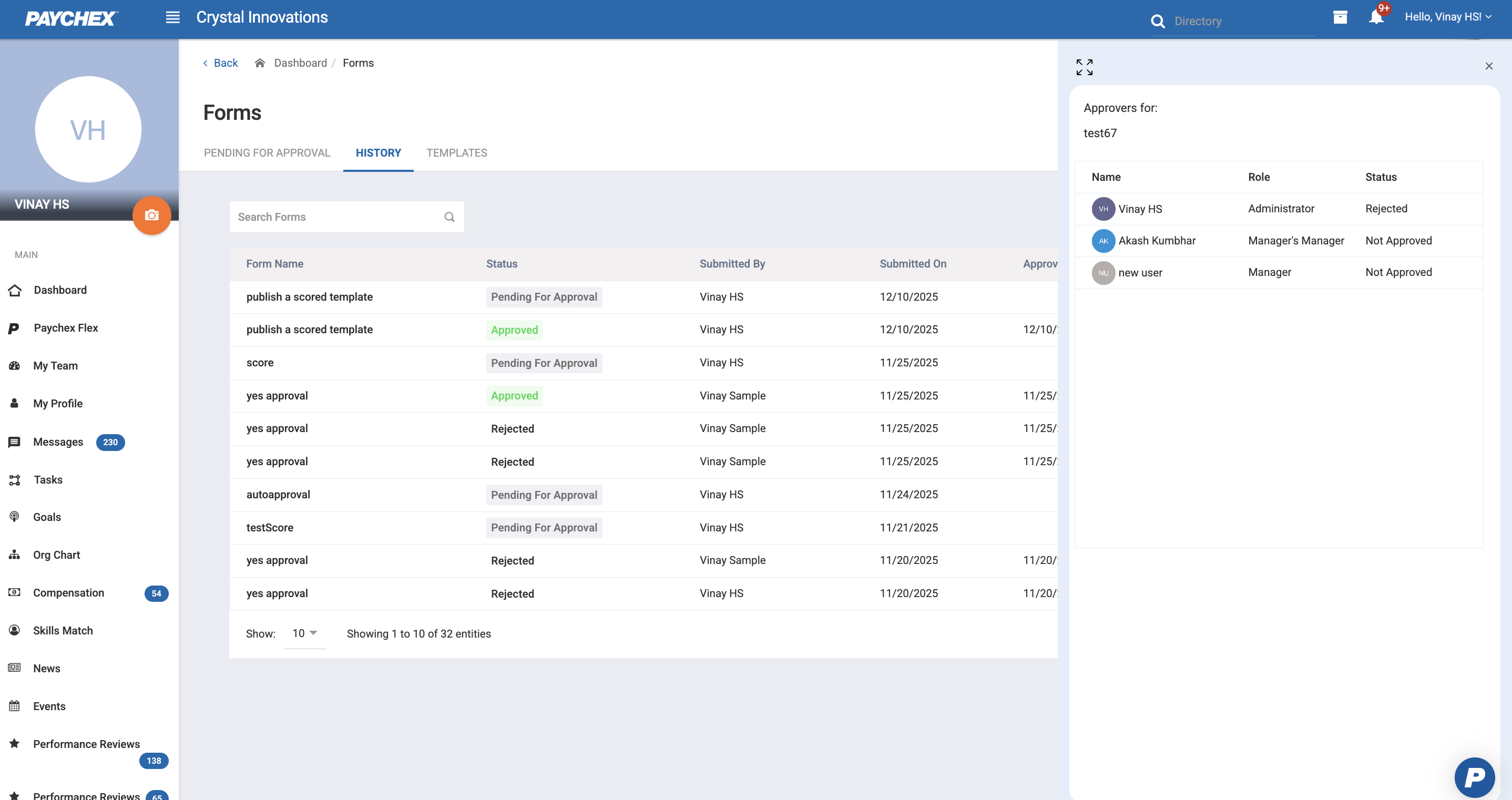
Navigate to Manage Forms > Pending for Approval or History.
Locate the form entry in the list.
Click on the approver count (example:
0/3,1/2, etc.).The Approvers Side Drawer will appear on the right side of the screen.
Was this article helpful?
That’s Great!
Thank you for your feedback
Sorry! We couldn't be helpful
Thank you for your feedback
Feedback sent
We appreciate your effort and will try to fix the article