The History tab provides a complete record of all forms that have been submitted, approved, or rejected within the system. It serves as an audit and reference area for administrators to review past activity, track completion trends, and access form details.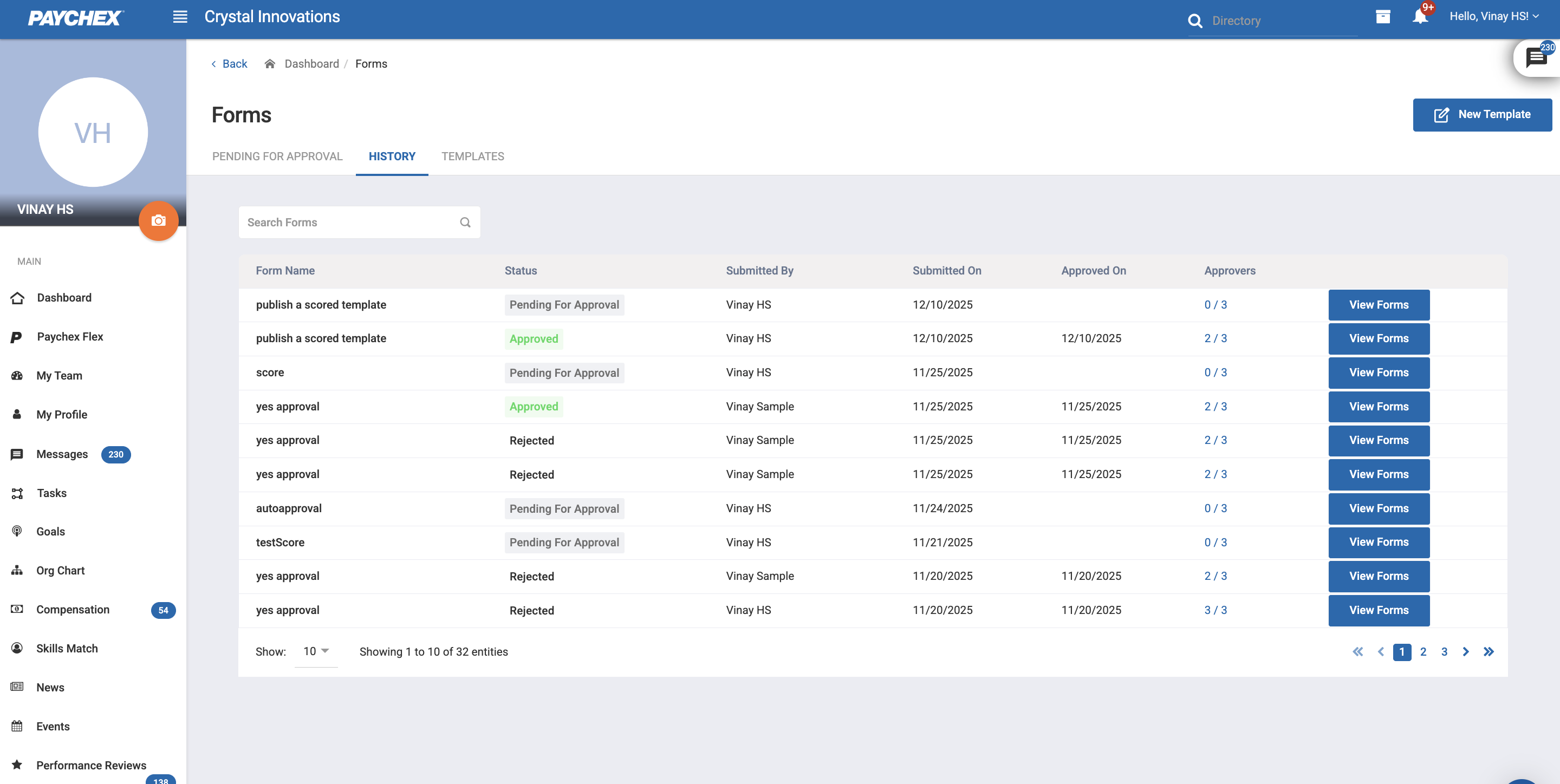
1.1 Accessing the History Tab
Navigate to System Management > Manage Forms.
Select the History tab from the top navigation.
The system loads a list of all historical form submissions.
1.2 Viewing Submission Details
To view the full details of a historical submission:
Click on the View Form button against any form entry in the History list.
The system opens the submission details page, including:
All questions and the submitted answers
Score (for scored templates)
Subject and submitter information
Approval status and timestamps
Rejection reason and timestamps
The Approvers Side Drawer can be accessed by clicking the approver count.
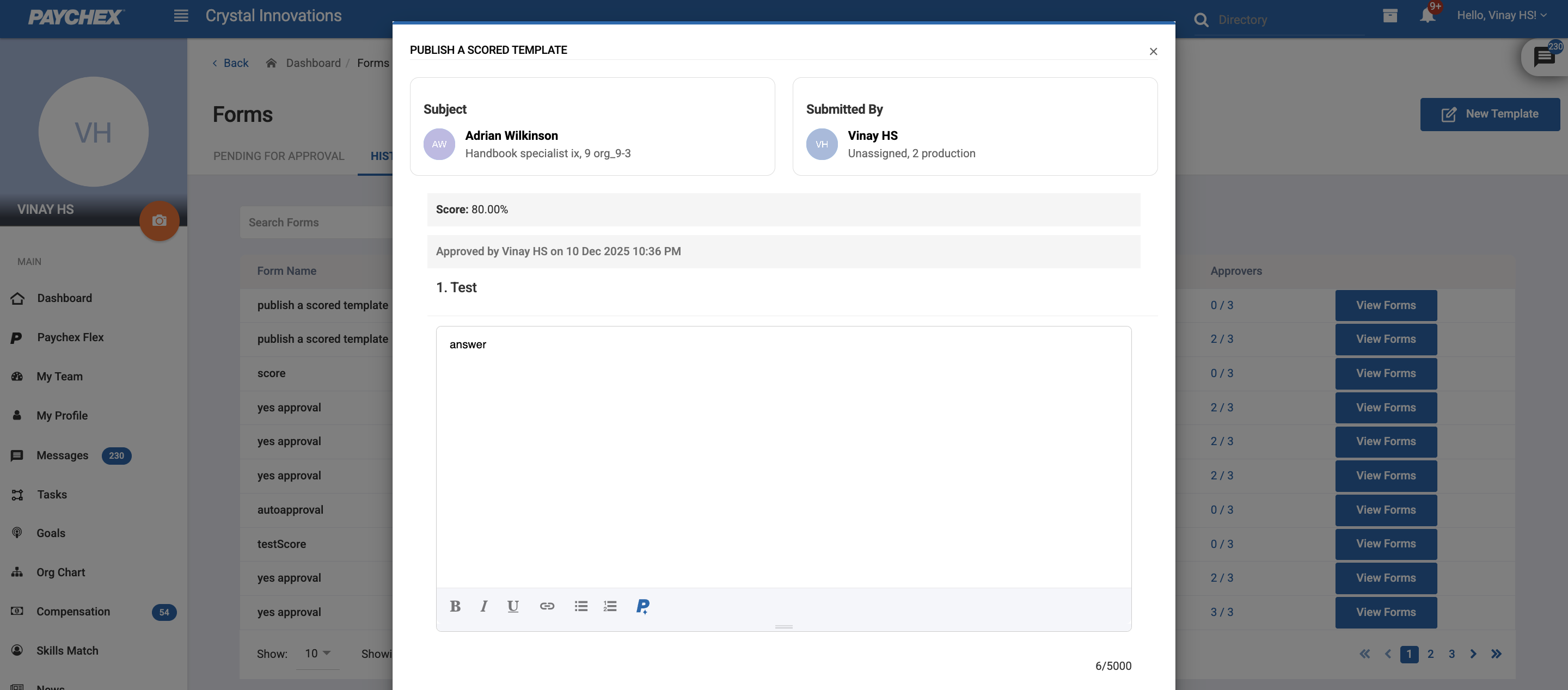
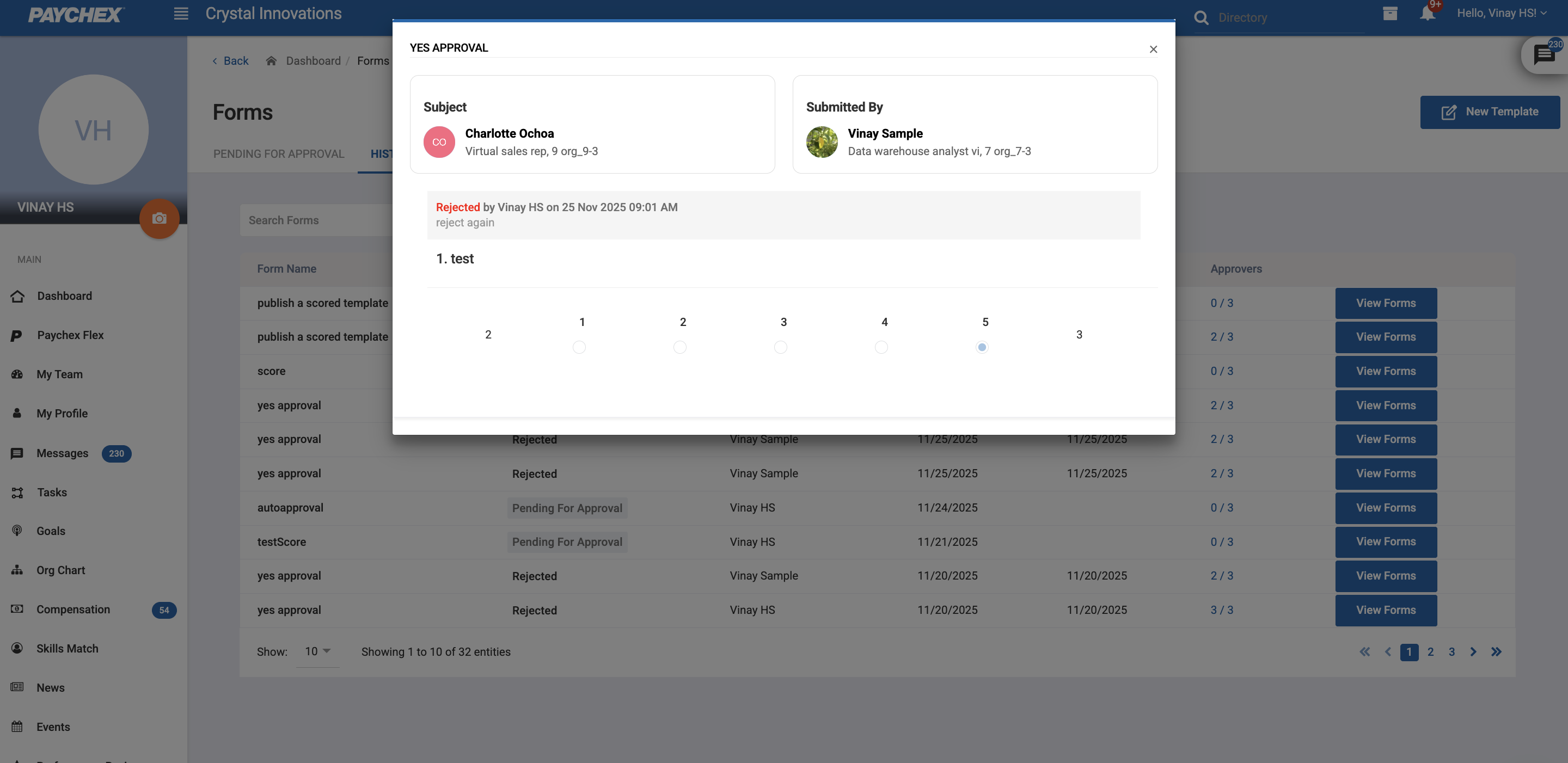
The view is read-only, as historical submissions cannot be edited.
Was this article helpful?
That’s Great!
Thank you for your feedback
Sorry! We couldn't be helpful
Thank you for your feedback
Feedback sent
We appreciate your effort and will try to fix the article